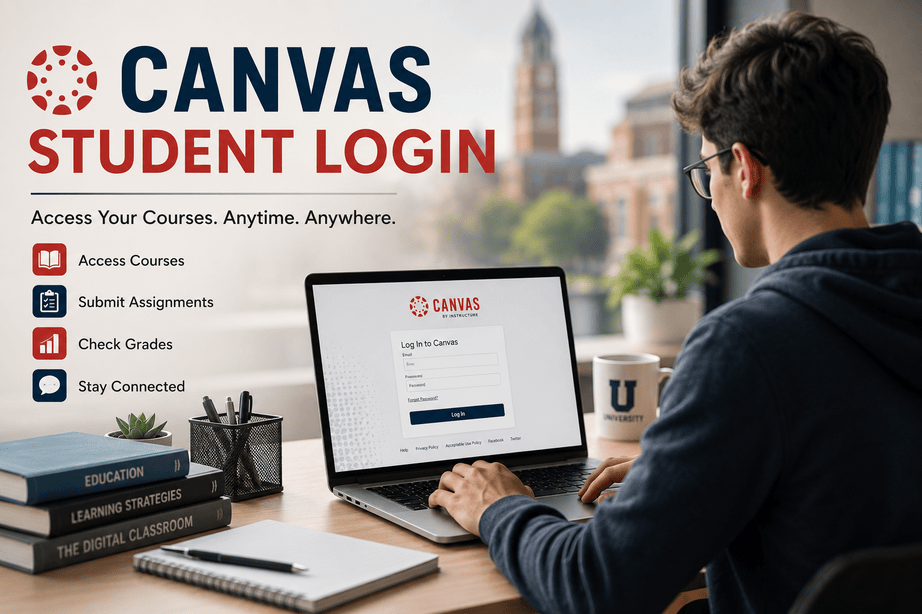

Online learning has changed the way students study, submit assignments, and communicate with teachers. At the center of this digital classroom experience is the Canvas platform. Whether you are a college student, high school learner, or part of an online certification program, understanding the canvas student login process can save time and reduce frustration.
For many students, the first challenge of online education is not the coursework — it is simply logging in correctly. Forgotten passwords, institution-specific login pages, browser errors, and mobile access issues are more common than most people realize.
This guide breaks down everything students need to know about Canvas login access, troubleshooting, security, and productivity tips in a simple and practical way.
You can access the official Canvas platform here: Canvas Official Website
What Is Canvas?
Canvas is a cloud-based Learning Management System (LMS) developed by Instructure. Schools, universities, and training organizations use it to manage online learning.
Students use Canvas to:
- Attend online classes
- Submit assignments
- Check grades
- Download course materials
- Participate in discussions
- Communicate with instructors
- Take quizzes and exams
Canvas became especially popular during the global shift toward remote learning, and today it remains one of the most widely used educational platforms worldwide.
How Canvas Student Login Works ?
The canvas student login process may vary slightly depending on your school or university. Most institutions create a customized Canvas portal for their students.
Typical Login Requirements
| Requirement | Purpose |
|---|---|
| Student Email | Identifies your account |
| Password | Secure authentication |
| Institution URL | Connects you to your school’s Canvas portal |
| Two-Factor Authentication (Optional) | Added account security |
Most students receive login credentials during admission or course enrollment.
Step-by-Step Canvas Student Login Guide
1. Visit Your School’s Canvas Portal
Some schools use a custom domain such as:
schoolname.instructure.com- University learning portal links
- Student dashboard pages
If you are unsure, search your institution name plus “Canvas login.”
You can also start from the official Canvas login directory:
Find Your Canvas Login Page
2. Enter Your Login Credentials
Students typically use:
- School email address
- Student ID
- Username assigned by the institution
Make sure Caps Lock is off when typing passwords.
3. Access the Dashboard
Once logged in, the Canvas dashboard displays:
- Active courses
- Announcements
- Calendar deadlines
- Recent feedback
- Assignment notifications
The dashboard layout is intentionally simple, which makes navigation easier even for first-time users.
Common Canvas Student Login Problems
Even though Canvas is reliable, login issues happen frequently. Here are the most common problems students face.
Forgotten Password
This is the number one issue among students.
Most schools provide a “Forgot Password” option directly on the login screen.
Incorrect Institution URL
Many students accidentally try logging into the wrong school portal.
For example:
- A university Canvas portal differs from a public school district portal.
- Community colleges may have separate login systems.
Always verify your institution’s official link.
Browser Compatibility Issues
Older browsers can create problems during the canvas student login process.
Canvas works best with:
- Google Chrome
- Mozilla Firefox
- Microsoft Edge
- Safari
Clear browser cache regularly to prevent loading issues.
Multi-Factor Authentication Errors
Some institutions use extra verification methods for security.
Students may need:
- SMS verification codes
- Authentication apps
- Email confirmation
If authentication fails repeatedly, contact your school’s IT department.
Canvas Student Login on Mobile Devices
Many students now access courses primarily through smartphones.
The official Canvas Student app makes mobile learning easier.
Features of the Mobile App
| Feature | Available on Mobile |
|---|---|
| Assignment Submission | Yes |
| Notifications | Yes |
| Quiz Access | Yes |
| Messaging | Yes |
| Grade Tracking | Yes |
Official app links:
Why Students Prefer Canvas ?
One reason Canvas continues growing is its user-friendly design. Compared to older learning systems, Canvas feels modern and streamlined.
Key Advantages
Simple Interface
Students can quickly locate assignments and announcements.
Cloud-Based Access
Courses are available anywhere with internet access.
Real-Time Notifications
Students receive updates instantly when teachers:
- Post grades
- Add assignments
- Send announcements
Better Communication
Canvas includes direct messaging tools between students and instructors.
Canvas vs Other Learning Platforms
Here is how Canvas compares with popular alternatives.
| Feature | Canvas | Moodle | Blackboard |
|---|---|---|---|
| Ease of Use | Excellent | Moderate | Moderate |
| Mobile Experience | Strong | Average | Good |
| Modern Interface | Yes | Limited | Moderate |
| Cloud-Based | Yes | Optional | Yes |
| Speed | Fast | Depends on Hosting | Moderate |
Canvas often receives higher student satisfaction scores because of its cleaner user experience.
Security Tips for Canvas Student Login
Student accounts contain sensitive academic information. Keeping accounts secure is important.
Best Practices
- Use strong passwords
- Avoid public Wi-Fi when accessing exams
- Enable two-factor authentication if available
- Never share login credentials
- Log out on shared computers
Cybersecurity in education has become increasingly important in recent years.
For additional online safety guidance, students can review recommendations from Cybersecurity & Infrastructure Security Agency (CISA).
Helpful Productivity Tips for Students Using Canvas
Logging in is only the beginning. Successful students usually develop habits that improve their digital learning experience.
Use the Calendar Feature
Canvas automatically tracks assignment deadlines.
Checking the calendar daily reduces missed submissions.
Enable Notifications
Turn on:
- Assignment reminders
- Grade alerts
- Discussion replies
- Instructor announcements
This helps students stay organized.
Download Course Files Early
Internet outages happen unexpectedly.
Downloading lecture slides and PDFs ahead of time prevents last-minute stress.
Check Feedback Regularly
Many instructors leave detailed comments directly inside Canvas submissions.
Students who review feedback carefully often improve faster academically.
The Future of Online Learning Platforms
The role of platforms like Canvas continues expanding beyond traditional classrooms.
Emerging trends include:
- AI-powered learning tools
- Personalized education dashboards
- Interactive video classrooms
- Real-time analytics
- Mobile-first education experiences
As hybrid learning grows globally, systems like Canvas are becoming essential educational infrastructure rather than optional tools.
Frequently Asked Questions About Canvas Student Login
How do I access my Canvas account?
Visit your school’s official Canvas portal and enter your student credentials.
What should I do if I forgot my Canvas password?
Use the “Forgot Password” option on your institution’s login page or contact student support.
Can I use Canvas on my phone?
Yes. The official Canvas Student mobile app is available for both Android and iPhone users.
Why is my Canvas login not working?
Possible reasons include:
- Incorrect password
- Wrong institution portal
- Browser issues
- Expired student account
- Network problems
Is Canvas free for students?
Usually yes. Educational institutions pay for Canvas access, while enrolled students receive accounts through their school.
Does Canvas track student activity?
Yes. Instructors can often see assignment submissions, participation history, and login activity.
External Links
- Canvas Official Website
- Canvas Student App Android
- Canvas Student App iPhone
- CISA Cybersecurity Tips
Final Thoughts
The canvas student login process may seem simple, but it plays a major role in the modern learning experience. From attending virtual classes to managing assignments and communicating with instructors, Canvas has become a digital campus for millions of students worldwide.
The good news is that once students understand the platform, Canvas becomes incredibly efficient and easy to use. Small habits like enabling notifications, bookmarking the correct login page, and securing account credentials can dramatically improve the online learning experience.
As education continues evolving, digital learning platforms like Canvas are likely to become even more integrated into everyday academic life.
If you found this guide helpful, share it with classmates or bookmark it for future reference. You can also explore more student tech and education guides on our blog for smarter online learning strategies.