
Online learning has transformed higher education, and the wgu student portal sits at the center of that experience for thousands of learners across the United States. Whether you’re a first-time student at Western Governors University or a returning learner balancing work, family, and education, the portal is more than just a login page — it’s your academic command center.
From checking course progress to communicating with mentors and accessing assessments, the WGU student portal helps students manage nearly every aspect of their educational journey. Yet many students only scratch the surface of what the platform can actually do.
In this guide, we’ll explore how the portal works, the most valuable features, common issues students face, and practical strategies to get the most from your online learning experience.
What Is the WGU Student Portal ?
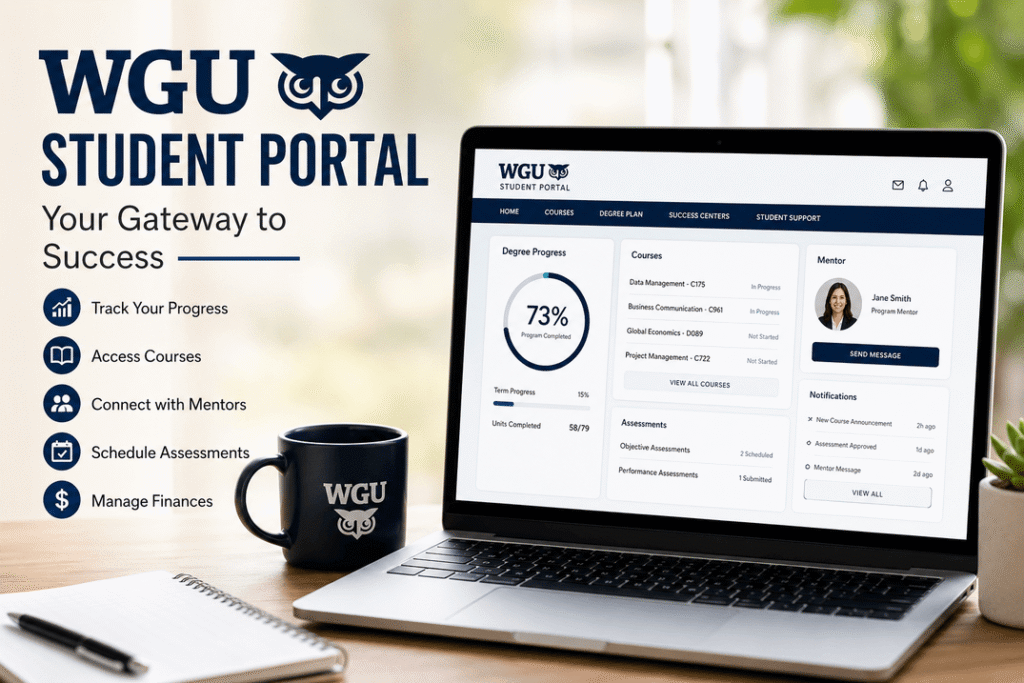
The wgu student portal is the official online platform used by students enrolled at Western Governors University. It acts as a centralized hub where students can:
- Access courses
- Submit assessments
- Track degree progress
- Communicate with mentors
- Manage tuition and financial aid
- Schedule exams
- View academic resources
Unlike traditional universities that rely heavily on classroom attendance, WGU operates through a competency-based education model. That means students progress by demonstrating mastery of subjects rather than spending a fixed amount of time in class.
The portal is designed specifically to support this flexible learning approach.
For official access, students can visit the university’s portal through WGU Official Website.
Why the WGU Student Portal Matters ?
Many online universities provide digital dashboards, but WGU’s system is uniquely integrated into the student experience.
Instead of juggling multiple systems for coursework, communication, and grading, students can manage everything in one place.
Key Benefits of the Portal
| Feature | Why It Matters |
|---|---|
| Centralized Dashboard | Keeps coursework and updates organized |
| Mobile Accessibility | Study and monitor progress from anywhere |
| Mentor Communication | Quick support from faculty mentors |
| Progress Tracking | Visual degree completion tools |
| Assessment Access | Simplifies exam scheduling |
| Financial Tools | Tuition and aid information in one place |
For working adults, convenience is often the deciding factor in online education. WGU’s portal helps eliminate unnecessary friction.
How to Access the WGU Student Portal ?
Getting started is relatively simple.
Login Steps
- Visit the official WGU website
- Click the Student Portal login page
- Enter your username and password
- Complete authentication if prompted
- Access your dashboard
Students typically receive login credentials after enrollment and orientation.
Password Recovery
Forgot your password? WGU provides recovery options through email verification and identity confirmation.
Most login issues are caused by:
- Incorrect passwords
- Expired sessions
- Browser cache problems
- Two-factor authentication delays
Using updated browsers like Google Chrome or Microsoft Edge usually resolves compatibility issues.
Main Features Inside the WGU Student Portal
The real value of the wgu student portal becomes clear once students begin navigating the platform daily.
Let’s break down the most useful sections.
Degree Progress Dashboard
This is arguably the most important area for students.
The dashboard displays:
- Completed courses
- Remaining credits
- Current term progress
- GPA-related metrics
- Program milestones
The visual tracking system can be highly motivating. Many students say seeing progress percentages increase helps maintain momentum during challenging courses.
Course Learning Resources
Each course typically includes:
- Reading materials
- Recorded lectures
- Practice assessments
- Study guides
- Discussion tools
Unlike traditional learning systems overloaded with clutter, WGU’s interface remains relatively clean and focused.
Students can move at their own pace, which is especially useful for professionals already familiar with certain subjects.
Assessment and Exam Center
WGU assessments are a major component of the competency-based system.
The portal allows students to:
- Schedule objective assessments
- Submit performance tasks
- View scoring reports
- Access proctoring instructions
Many students appreciate the flexibility of online proctored exams, though stable internet and a quiet environment are essential.
Mentor Communication Tools
One underrated aspect of WGU is its mentorship structure.
Through the portal, students can:
- Message program mentors
- Schedule calls
- Review academic recommendations
- Receive progress feedback
This support system often helps students stay accountable — something many online learners struggle with.
Financial Services Section
The financial area includes:
- Tuition balances
- Payment history
- Financial aid updates
- Scholarship information
Students can also access tax documents and payment plans directly through the system.
Mobile Experience: Is the WGU Portal Mobile-Friendly?
Yes — and that matters more than ever in 2026.
Students increasingly rely on smartphones and tablets for learning. WGU’s portal adapts reasonably well across devices.
Best Tasks for Mobile Use
- Checking progress
- Reading mentor messages
- Viewing announcements
- Reviewing course deadlines
- Accessing quick resources
Better on Desktop
Some activities still work better on a laptop or desktop:
- Writing assessments
- Uploading large assignments
- Taking proctored exams
- Viewing detailed reports
Common WGU Student Portal Problems
No platform is perfect.
Here are the most common complaints students report online.
| Problem | Possible Solution |
|---|---|
| Login errors | Reset password or clear browser cache |
| Slow dashboard loading | Switch browsers or disable extensions |
| Assignment upload issues | Compress files before submission |
| Video playback problems | Update browser and internet connection |
| Exam scheduling glitches | Contact assessment services |
For technical help, students can use the university support services available through WGU Student Support.
Tips to Use the WGU Student Portal More Effectively
Many students use only the basics of the platform. A few small habits can significantly improve productivity.
1. Check the Dashboard Daily
Even five minutes per day helps students stay aware of deadlines and mentor updates.
2. Use Calendar Integration
Syncing coursework deadlines with Google Calendar or Outlook reduces missed tasks.
3. Bookmark Important Pages
Save quick links to:
- Degree plan
- Current courses
- Assessment center
- Mentor inbox
4. Track Small Wins
Completing one module at a time prevents overwhelm.
The portal’s progress indicators are especially effective for maintaining motivation.
5. Keep Notifications Enabled
Important updates about exams, assignments, or mentor meetings can easily be missed otherwise.
How WGU’s Portal Compares to Traditional University Systems ?
Many students transferring from traditional colleges notice immediate differences.
| Traditional University Portals | WGU Student Portal |
|---|---|
| Semester-based structure | Competency-based structure |
| Multiple disconnected systems | Centralized experience |
| Fixed schedules | Flexible pacing |
| Classroom-focused | Self-paced learning |
| Limited mentor interaction | Dedicated mentorship support |
This flexibility is one reason WGU continues growing among adult learners and career changers.
Student Experience: What Learners Often Say ?
Online student communities frequently discuss the portal experience.
Common positive feedback includes:
- Easy navigation
- Strong progress tracking
- Helpful mentor communication
- Flexible scheduling
However, some students mention challenges with:
- Time management
- Self-discipline
- Occasional technical glitches
The reality is that online education requires personal accountability. The portal provides tools, but success still depends heavily on consistency.
Security and Privacy Features
Educational platforms handle sensitive information, so security matters.
The WGU student portal includes:
- Secure login authentication
- Encrypted communication
- Password recovery protection
- Session monitoring
Students should also follow basic cybersecurity habits:
- Use strong passwords
- Avoid public Wi-Fi during exams
- Log out after sessions
- Enable multi-factor authentication when available
The Future of the WGU Student Portal
Online education technology continues evolving rapidly.
Future improvements may include:
- AI-powered learning recommendations
- Smarter progress analytics
- Enhanced mobile learning tools
- Faster assessment systems
- Personalized study planning
As competency-based education expands, digital learning platforms like WGU’s portal will likely become even more advanced.
Final Thoughts
The wgu student portal is far more than a student login system — it’s the operational backbone of the entire WGU learning experience.
For motivated learners, the platform offers impressive flexibility, strong organization tools, and valuable academic support. While there are occasional technical frustrations, the overall experience aligns well with the needs of modern online students.
Success at WGU ultimately depends on discipline, consistency, and time management. But with the right approach, the student portal can become a powerful tool for achieving educational and career goals.
If you’re considering online education or currently enrolled at WGU, learning how to fully use the portal may significantly improve your academic journey.
Frequently Asked Questions (FAQs)
What is the WGU student portal used for?
The portal allows students to access courses, communicate with mentors, submit assessments, track progress, and manage financial information.
Is the WGU student portal available on mobile devices?
Yes. Students can access the portal through smartphones and tablets, though some tasks work better on desktop devices.
How do I reset my WGU portal password?
Students can use the password recovery feature on the login page and verify identity through email authentication.
Can I take exams through the WGU student portal?
Yes. Students can schedule and access online assessments directly through the portal.
Is the WGU student portal secure?
WGU uses secure authentication and encrypted systems to help protect student information.
External Links
- Western Governors University Official Website
- WGU Student Support Services
- WGU Online Degree Programs
Call to Action
Have you used the wgu student portal recently? Share your experience, favorite features, or productivity tips in the comments. If you found this guide helpful, consider sharing it with other online learners exploring WGU in 2026.