
InVideo AI Video Generator
There’s a quiet shift happening in the world of digital content. Not the loud, flashy kind—but the kind that changes how work actually gets done behind the scenes. The invideo ai video generator sits right in the middle of this shift.
What used to take hours of scripting, editing, searching for clips, syncing audio, and polishing transitions can now be done in a fraction of the time. But the real question isn’t whether it works—it’s how far it can actually replace traditional effort without sacrificing quality.
This is where things get interesting.
The Reality Behind AI Video Creation
Most people imagine AI video tools as magic buttons: type something, get a perfect video. The reality is more layered.
The invideo ai video generator behaves more like a production assistant than a full filmmaker. It understands structure, flow, pacing, and content intent—but still depends heavily on how well the user frames their idea.
Think of it like this:
If your idea is vague, the output feels generic.
If your idea is sharp and detailed, the output becomes surprisingly professional.
That gap between “input quality” and “output quality” is where most users either succeed or feel disappointed.
How InVideo AI Actually Works in Practice ?
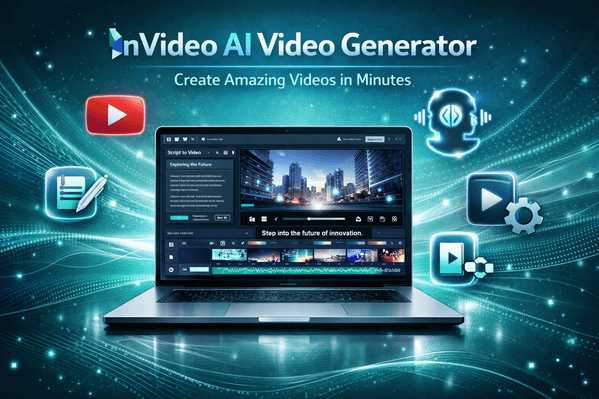
When you enter a prompt into the system, it doesn’t just “create a video.” It breaks the entire request into a production pipeline.
First, it interprets your idea as a script. Not just words, but intent. For example, a prompt about “success habits” might be structured into a motivational narrative with emotional pacing—intro hook, problem framing, solution, and closing impact.
Then comes the visual mapping. Instead of randomly pulling clips, it tries to match scenes with meaning. Productivity-related sentences might trigger office visuals, morning routines, or abstract motion backgrounds.
After that, it layers:
- voice narration
- subtitles
- background music
- scene timing
What feels like a single output is actually a stitched workflow of multiple automated decisions.
Where InVideo AI Feels Surprisingly Strong ?
The most impressive part of the invideo ai video generator is not just speed—it’s coherence.
Many AI tools can generate clips. Few can maintain narrative consistency across a full video.
InVideo performs well when the content has structure, especially:
- educational explainers
- motivational content
- marketing ads
- list-style storytelling (even if not explicitly formatted as lists)
It also handles pacing better than expected. Scenes don’t feel randomly cut; there’s usually a sense of progression.
Another strength is how it removes friction. Traditional editing tools require constant micro-decisions. Here, most of that cognitive load is absorbed by the AI.
That changes the workflow entirely. You stop “editing” and start “directing.”
Where It Starts to Show Limits ?
No system that automates creativity is perfect—and InVideo AI is no exception.
The first limitation is visual repetition. Because it relies heavily on stock libraries, certain clips appear frequently across different videos. If you produce content regularly, you start noticing patterns.
The second limitation is emotional depth. While narration and pacing are good, highly emotional storytelling still feels slightly mechanical in sensitive topics like personal stories or cinematic narratives.
The third limitation is creative control. You can guide the output, but you cannot fully sculpt every second the way you would in professional editors like Adobe Premiere Pro.
So the trade-off becomes clear:
Speed and automation vs precision and artistry.
Who Actually Benefits the Most From It ?
The invideo ai video generator is not designed for everyone equally.
It naturally fits creators who prioritize volume and consistency over deep manual editing.
For example:
A faceless YouTube channel can use it to maintain daily uploads without burnout.
A small business can quickly produce ads without hiring editors.
A blogger can convert written content into video format for wider reach.
On the other hand, filmmakers or advanced editors may find it restrictive because they want frame-level control, not AI-driven structure.
This difference in expectations is often the reason people either love or dismiss the tool.
The Shift It Represents in Content Creation
What’s more important than the tool itself is what it represents.
We are moving from:
“editing videos” → “generating narratives”
The role of the creator is slowly shifting from technician to strategist. Instead of cutting clips, creators now focus on:
- message clarity
- audience targeting
- prompt engineering
- content planning
In this sense, the invideo ai video generator is not just a tool—it is part of a broader restructuring of digital production.
Platforms like YouTube and short-form ecosystems like TikTok are accelerating this shift because content demand is higher than human editing capacity.
Comparison With Traditional Workflow
Traditional video creation involves multiple stages:
- scripting
- recording or sourcing footage
- editing timeline
- sound design
- subtitles
- rendering
In InVideo AI, most of this collapses into a single prompt-based process.
However, this compression comes with a hidden cost: creative depth is partially generalized.
So instead of asking “Can it replace editors?”, a better question is:
Can it replace time-consuming execution?
The answer is yes.
Can it replace creative decision-making?
Not fully.
Practical Insight From Real Usage Patterns
One of the most overlooked aspects is how user behavior changes after adopting tools like this.
People tend to:
- publish more frequently
- experiment with new niches
- reduce perfectionism
- test content ideas faster
But they also risk becoming dependent on templates and losing originality if they don’t consciously guide the creative direction.
The tool amplifies intent—but it does not replace it.
Final Thoughts: Where It Truly Stands
The invideo ai video generator is not a replacement for creativity—it is a compression layer for execution.
It removes technical friction so creators can focus on ideas, messaging, and output speed. But it still requires human direction to avoid generic results.
If your goal is to scale content production, test ideas quickly, or build consistent video output without heavy editing skills, it fits extremely well into your workflow.
If your goal is cinematic control, artistic storytelling, or frame-perfect editing, traditional tools will still be necessary.
The real value sits in between those extremes—where speed meets intention.
FAQs
Is InVideo AI suitable for beginners?
Yes, it is designed specifically for users without editing experience.
Can it replace professional editors?
Not fully. It replaces repetitive editing work, not high-end creative control.
Does it work for YouTube channels?
Yes, especially for faceless, educational, and short-form channels.
Is the output unique every time?
Yes, but it depends heavily on how detailed your prompt is.
Call to Action
If you’re exploring AI tools for content creation, the invideo ai video generator is worth testing at least once to understand how AI is reshaping video production. Experiment with different prompts, compare outputs, and see how it fits your workflow.